Field Service And Maintenance

Prove Hours and Improve Safety for Field Teams

Sense proves arrival and exit times for small teams or solo engineers working on customer sites, and alerts you if something goes wrong so you can send help fast.

Track Hours By Site

Clock in at the customer's site, not the depot

Engineers clock in via the Sense app or Badge when they arrive on site. The app checks where they are, and can even request a photo as proof, so you can see when they arrived and left each job.

  • Location verification
  • Optional photo check
  • Track hours by site
Verify Tasks

Prove task completion with location stamps

Engineers tick off site-specific tasks on their phone or Sense Badge, which stores a time and location stamp as proof of completion, and shows you how long different tasks take.

See Tasks on site
Protect Lone Workers

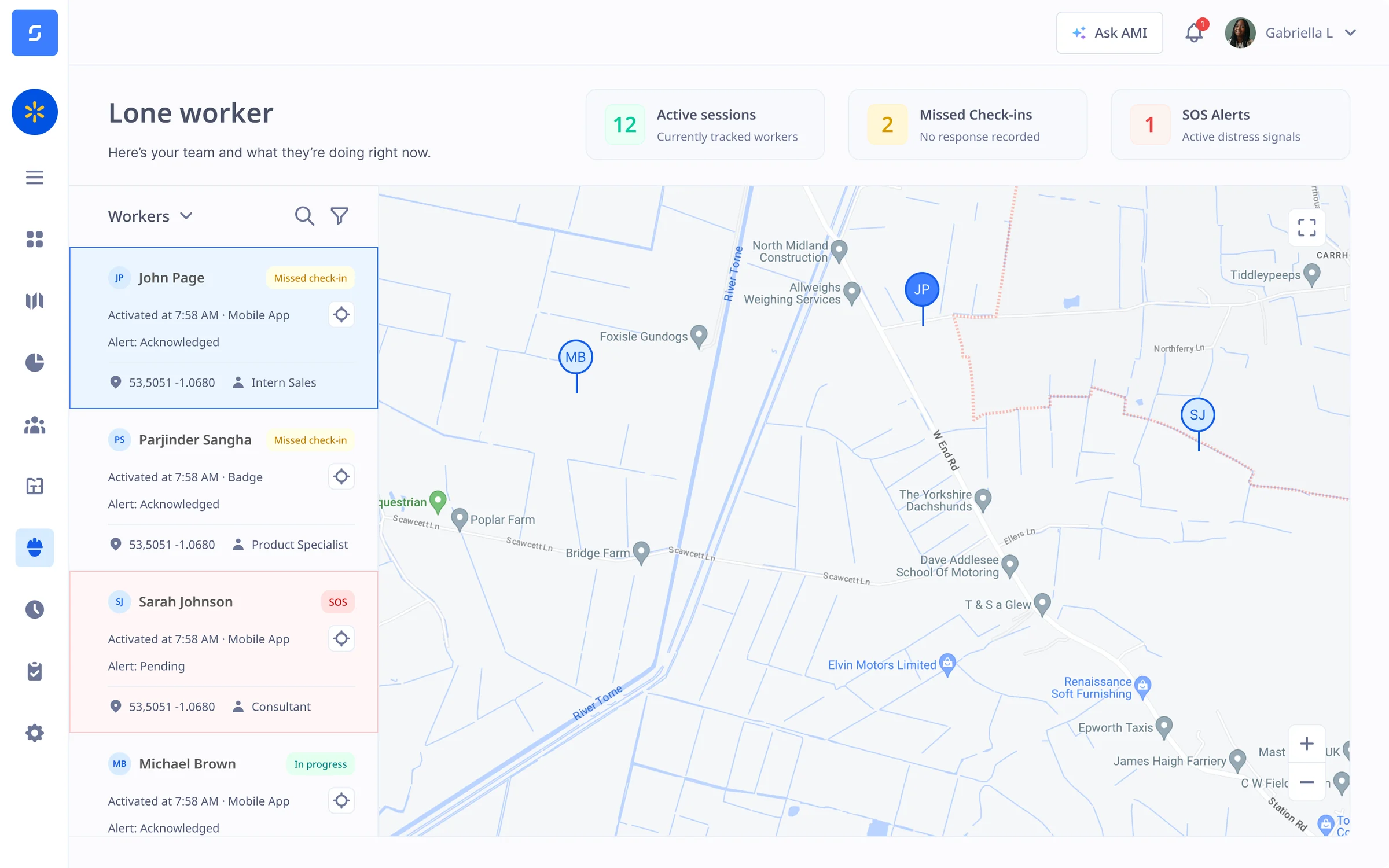
SOS and fall detection for lone workers

Give lone engineers a way to call for help and broadcast their location during an emergency.

See Lone worker safety
  • SOS button via the Badge or app
  • Hard fall and man down alerts
  • Locate nearest available worker to help
Self Service

HR self service from their phones

Engineers can book holidays, see work patterns, claim expenses and sign documents on the go. Training and qualifications all sit inside their HR record, with alerts and reminders before anything runs out.

See the Sense HR mobile app

Holidays and absences

Contracts and documents

Alerts and reminders

Discover Sense for your field engineers

Book an online demo with one of our UK-based experts, or request a visit to our head office, to see how Sense proves hours and protects engineers on the road.

FAQ

Field service questions

Browse these frequently asked questions about Sense for field service and maintenance

How do engineers clock in at a customer's site?

With the free Sense HR app or a Sense Badge. Sense checks they are at the right site, and the app can ask for a photo as proof. Arrival and exit times are saved against each site, ready for payroll.

Do engineers need a smartphone?

No. Engineers without a work phone can use a Sense Badge to clock in, tick off tasks and call for help.

Can engineers prove which tasks they completed?

Yes. Engineers tick off site-specific tasks on their phone or Sense Badge. Each one is saved with a time and location stamp, so you can show customers what was done and see how long each task takes.

Can we track engineers between jobs?

It's up to you. You can record just arrival and exit times at each site, or track location for the whole working day, including travel between jobs. Either way, Sense only tracks during working time, and staff are not tracked outside it.

Does it replace our job scheduling system?

No. Keep your scheduling system. Sense handles hours, tasks, safety and HR.

What if an engineer is hurt while working alone?

Engineers can press SOS on the Sense Badge or in the app. The Badge also sends an alert if it detects a hard fall or no movement, with the engineer's location, so you can send help fast.

Can engineers sort HR admin from their phone?

Yes. They can book holidays, see their work patterns, claim expenses, and read and sign documents on the Sense HR app, with no trips to the office.

Can we keep qualifications and certificates up to date?

Yes. Store each engineer's training and qualifications in their HR record, and Sense sends alerts and reminders before anything runs out.

Does Sense work with our payroll?

Yes. Sense sends verified hours to Sage, Xero, BrightPay and PayCaptain, and to any other payroll by export, including outsourced payroll. Managers approve the hours first, so payroll only gets hours that have been checked.