


Accurate Indoor Location

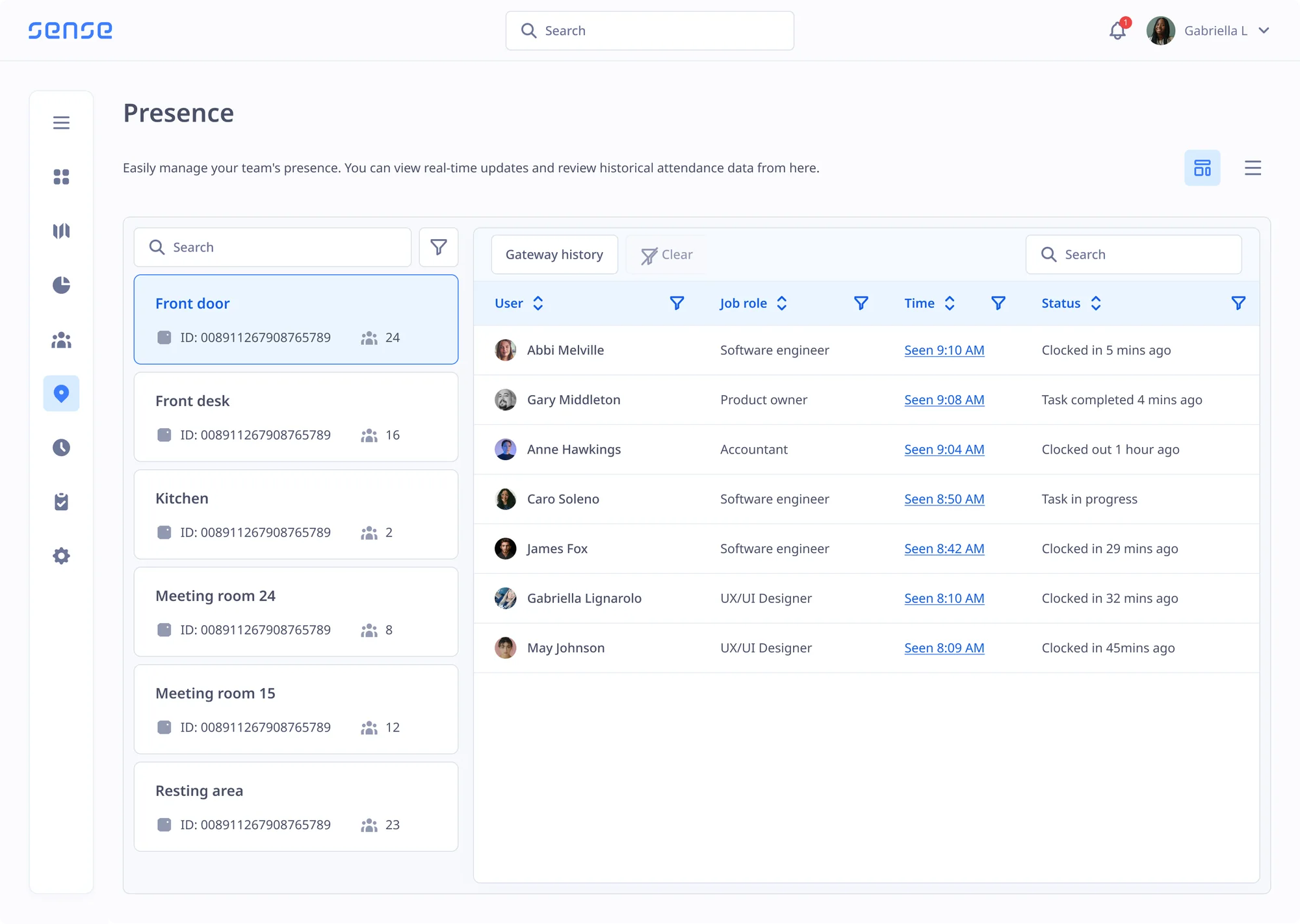
See where people are indoors

The Sense Gateway plugs into any wall, and shows you which room or zone people are in, so you can automate time tracking, redeployment, evacuation, break management, and SOS response.

Watch 4 min video
Indoor Location Data

Endless possibilities

  • AutoClock: track hours with no queue at the clock
  • Find people quickly during busy periods
  • Calculate breaks based on real-time staff location
  • See who's in or out during an evacuation
Getting Started

Just plug it in and off you go

  1. 1

    Plug it in

    Put a Gateway at each entrance, or one in each zone. No installation required.

  2. 2

    Assign Badges or Tags

    Staff carry a Sense Tag or Badge, so each Gateway can see their location.

  3. 3

    Start using location data

    Populate timesheets, locate staff, check who's in or out, and more.

Tag Or Badge?

Pick what each person carries

SENSE TAGSENSE BADGE
Automatic timesheets (AutoClock)YesYes
See which room each person is inYesYes
SOS buttonYesYes
Hard fall alertsNoYes
Fingerprint readerNoYes
Touch screenNoYes
Task listsNoYes
Request holidaysNoYes
GPS outdoorsNoYes
Indoor navigationNoYes
The Technology

Want to know how it works inside?

Gateways, Tags and Badges use unique indoor location technology to show you who is where. Visit our technology site to see how each device works.

Visit our technology website

Ways to use the Gateway

Track Time (AutoClock)

Gateways pick up the Badge or Tag each person carries as they walk in and out. Sense records the time automatically, so there is nothing to tap, scan or forget.

  • No action needed from staff
  • No queues at clock machine
  • Hours verified before payroll
See more ways to clock in

Redeploy Staff

Gateways let you find nearby people quickly during busy periods or emerging events, so you can assign new tasks or deploy staff to nearby areas.

  • See who is in each area right now
  • Assign tasks based on nearest worker
  • Keep busy zones fully staffed
Learn how to assign and verify tasks

SOS Response

When someone is in trouble, Gateways tell you exactly where to find them, and who is nearby to help. SOS calls are triggered through button presses, or through hard fall detection built into the Sense Badge.

  • Precise location of the person in trouble
  • Find who is closest and able to help
  • Automatically detect SOS or hard falls

Evacuation Roll Call

Gateways know who is still on site when the fire alarm goes, and let you take an instant roll call at your evacuation point. If anybody is still inside, the Gateway will reveal exactly where they are.

  • Live roll call shows who is in or out
  • Last seen area tells you where to look first
  • Easy roll call app on fire marshals' phones
See more fire and evacuation features

Understand Spaces

The Gateway gives you insights into how your teams actually use your buildings, including your busiest zones, your high-traffic routes, and which people spend most time together.

  • Plan smarter shifts
  • Busy period forecasting
  • Improve building layouts

Work and Break Zones

Gateways let you split sites into different zones, so you can itemise timesheets based on break times or even work type. Label production lines, stock rooms, canteens, and more, then see how people use them.

  • See how much time is spent in break rooms
  • Track restricted working areas
  • Itemise your timesheets based on real location
Learn how Sense helps you verify hours worked

Add 1, 2, or 300 Gateways

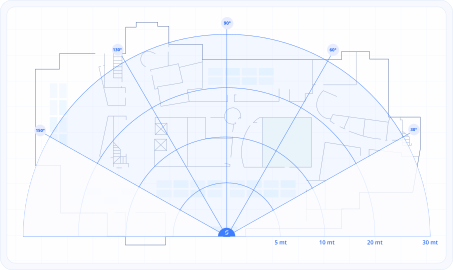
You can cover a small work site with a single Gateway, or for larger work sites, add one at each entrance and then add a new gateway for each zone you want to cover. The more you add, the more precise it gets.

  • One Gateway is enough for a small site
  • Add more Gateways room by room
  • Easy to install, just plug-and-go
Read more about our location technology

Learn what's possible when indoor location is revealed

Book an online demo with one of our friendly UK experts, or get in touch to arrange an on-site visit where you can try out Sense Gateways in person.

FAQ

Common questions

Browse these frequently asked questions about Sense Gateways and Tags

Is it tracking my staff?

It records when staff are at work and which work area they are in. It does not follow them outside work.

Can we use it with the Sense Clock?

Yes. Mix them across sites. Every clock-in lands in the same record.

What is a Sense Gateway?

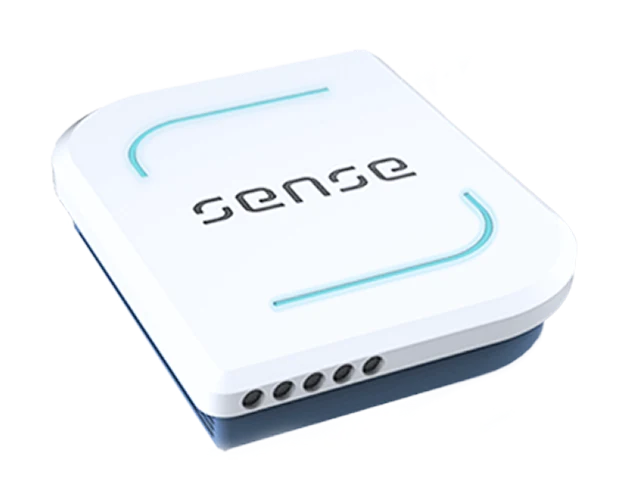
A Sense Gateway is a small device that plugs into a normal power socket. It picks up the Sense Tags and Sense Badges your staff carry, and tells Sense HR which building, floor and zone each person is in.

How does automatic clocking in work?

With AutoClock, staff carry a Sense Tag or wear a Sense Badge. When they walk past a Gateway at the entrance, Sense records the time they arrive and leave. There is nothing to tap, scan or open, and the hours go straight into their timesheet.

How accurate is indoor location tracking?

Gateways show which room or zone a person is in. The Sense Badge can also use UWB for accuracy of up to 10cm, and GPS when staff work outdoors.

How many Gateways do I need?

A small site can run on a single Gateway. For larger sites, put one at each entrance, then add one for each zone you want to see, such as a production line, stock room or canteen. The more Gateways you add, the more precise your location data.

Do Gateways need an installer?

No. Each Gateway plugs into a normal power socket, so you can set them up yourself. Most teams go live within 2 to 4 weeks.

What's the difference between a Sense Tag and a Sense Badge?

Both clock staff in automatically, show which room they are in, and have an SOS button. The Sense Badge adds hard fall alerts, a fingerprint reader, a touch screen for tasks, GPS outdoors and indoor navigation.

Does it work with our payroll?

Yes. Hours from Gateways go into the same timesheets as every other clock-in. Sense HR has native connectors for Sage, Xero and BrightPay, and an open API for other payroll systems.