Meet DocSender
AI agent DocSender loves handing out documents! DocSender can help you create, upload, or personalise your documents and templates, and then sends them out to the right employees, tracks them, and even chases them for signature!
Watch this 4-minute video to learn more about DocSender
See How DocSender Works
DocSender personalises and distributes mass documents based on your instructions, then chases them for signature to ensure compliance.
Create, Personalise, Send
When you create or update a document or policy, DocSender helps you personalise and send it out to all intended recipients.
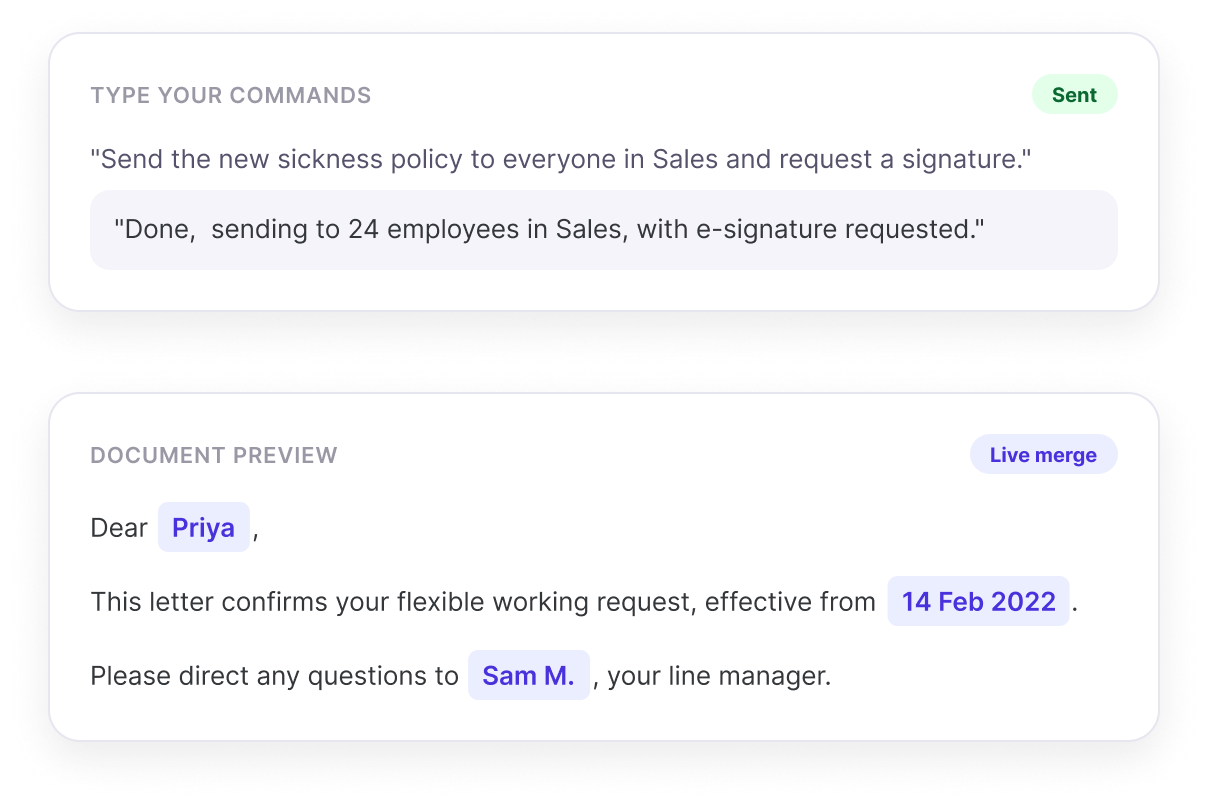
- Type Your CommandsStop messing with attachments, and simply tell DocSender what to do! For example, "send the new sickness policy to everyone in Sales and request a signature".
- Auto-Personalise DocumentsAsk DocSender to apply merge tags from employee records, to customise each document automatically with relevant names, dates, addresses and terms.
- Document DraftingDocSender can write documents, too! Just choose a tone, select from one of 9 languages, and then prompt DocSender on what to include, to get custom documents in seconds!
Get Documents Signed
DocSender uses legally-recognised e-sign technology to prompt recipients to sign their new documents, and chases anybody who forgets.
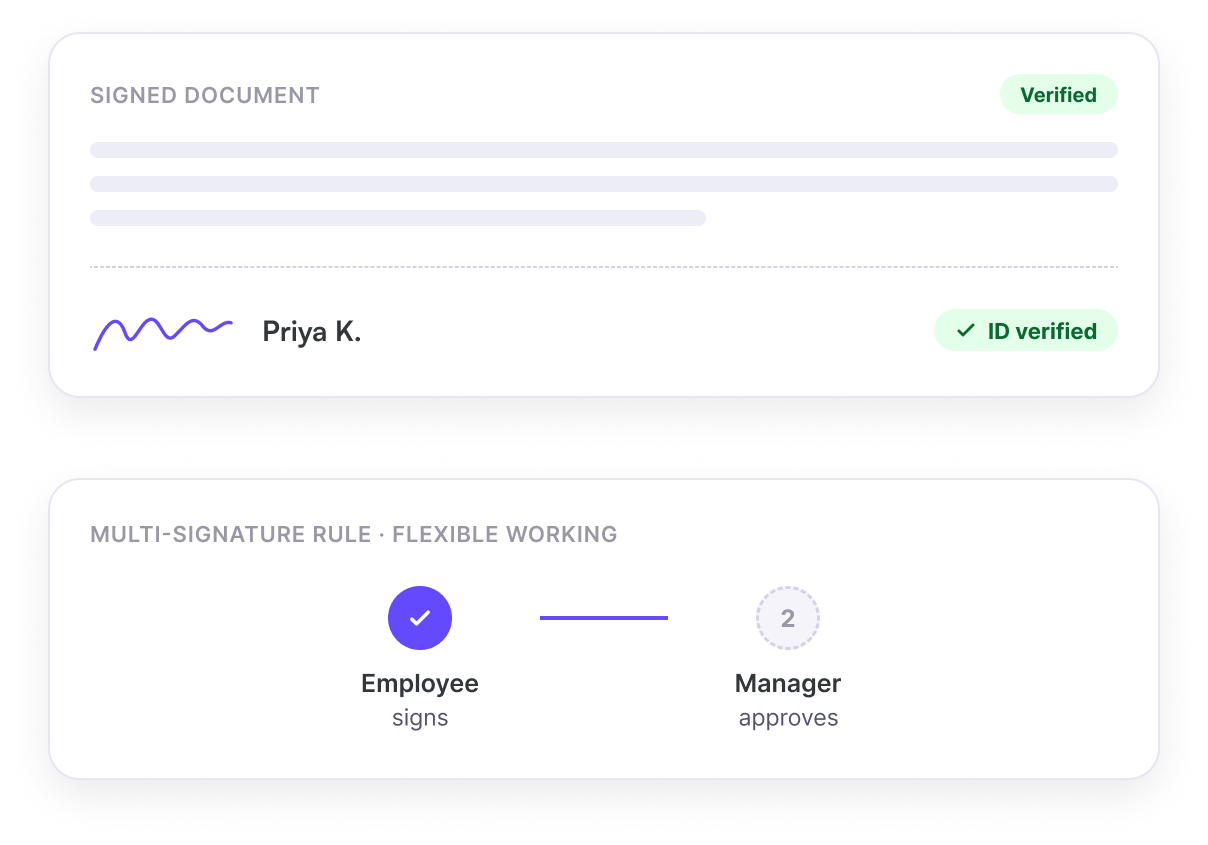
- ID-Stamped E-signatureDocSender can request legally-recognised ID-stamped e-signatures from directly inside Sense, with no third-party e-sign tool required.
- Multi-Signature RulesDocSender can handle multi-signature rules, for example waiting for an employee to sign one document before then sending it for signature by their manager.
- Track and Chase ProgressSee who has received, opened and signed each document, and ask DocSender to automatically chase anybody who still needs to take action.
Full Visibility
Review exactly what's going out and who's receiving it, and keep a full audit trail for everything DocSender does.
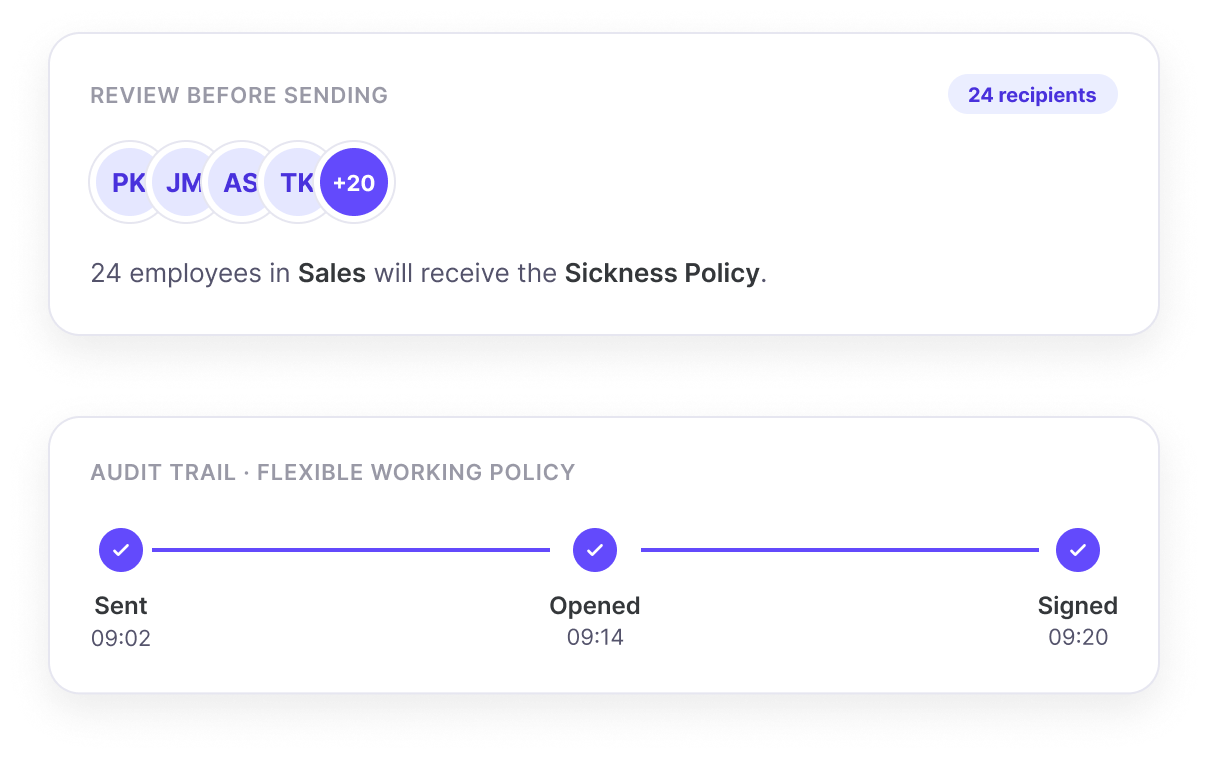
- Review Before SendingAfter preparing attachments, DocSender shows you a list of employees and what they will receive before it hits send, so you can confirm everything is in good order!
- Full Audit TrailDocSender retains a full history of everything it does, so that you can easily prove what was sent, and who has signed, as if it were a paper copy.
Meet DocSender in Person!
Share your contact details and one of our HR experts will be in touch to show you how DocSender can create, attach, send, and track your documents and policies on your behalf!
Common questions
DocSender is an AI agent within Sense HR that creates, personalises and sends HR documents and policies to employees, tracks who has received and opened them, and chases anyone who hasn't yet signed.
DocSender is given a plain-English instruction, such as sending a policy to everyone in a particular team or department, and works out the intended recipients from that instruction and the employee records held in Sense HR.
Yes. DocSender can apply mail merge tags pulled from employee records, so a single document or policy is automatically personalised with each recipient's name, dates, address or other relevant details, without the sender having to prepare each copy manually.
Yes. DocSender can request ID-stamped, legally recognised e-signatures directly inside Sense HR, without needing a separate third-party e-signature tool.
Yes. DocSender supports multi-signature rules, for example waiting for an employee to sign a document before automatically sending it on to their manager for a second signature.
Yes. DocSender tracks who has received, opened and signed each document, and can automatically send reminders to anyone who still needs to take action, without a manager needing to chase people individually.
Yes. DocSender can write a document from a prompt, using a chosen tone and one of several supported languages, based on what the sender asks it to include, before it goes out for review and signature.
An e-signature chasing tool automatically tracks who has opened and signed a document that has been sent out for signature, and sends reminders to anyone who hasn't completed it yet, removing the need for someone to manually check and follow up on outstanding signatures.
Rather than emailing documents individually or manually tracking who has acknowledged a policy, many HR teams use tools that can personalise, distribute, and track a policy update in bulk, then automatically chase anyone who hasn't yet read or signed it.
An audit trail provides evidence of who received, read and signed a document, and when, which can be important for demonstrating compliance during a dispute, tribunal, or audit. DocSender keeps a full history of every document it sends, in the same way a signed paper copy would.
DocSender operates inside Sense HR's ISO 27001 certified, UK-hosted platform, which is compliant with GDPR. Documents and signature records are stored securely within the same environment as the rest of an employee's HR record, and are never used to train AI models.